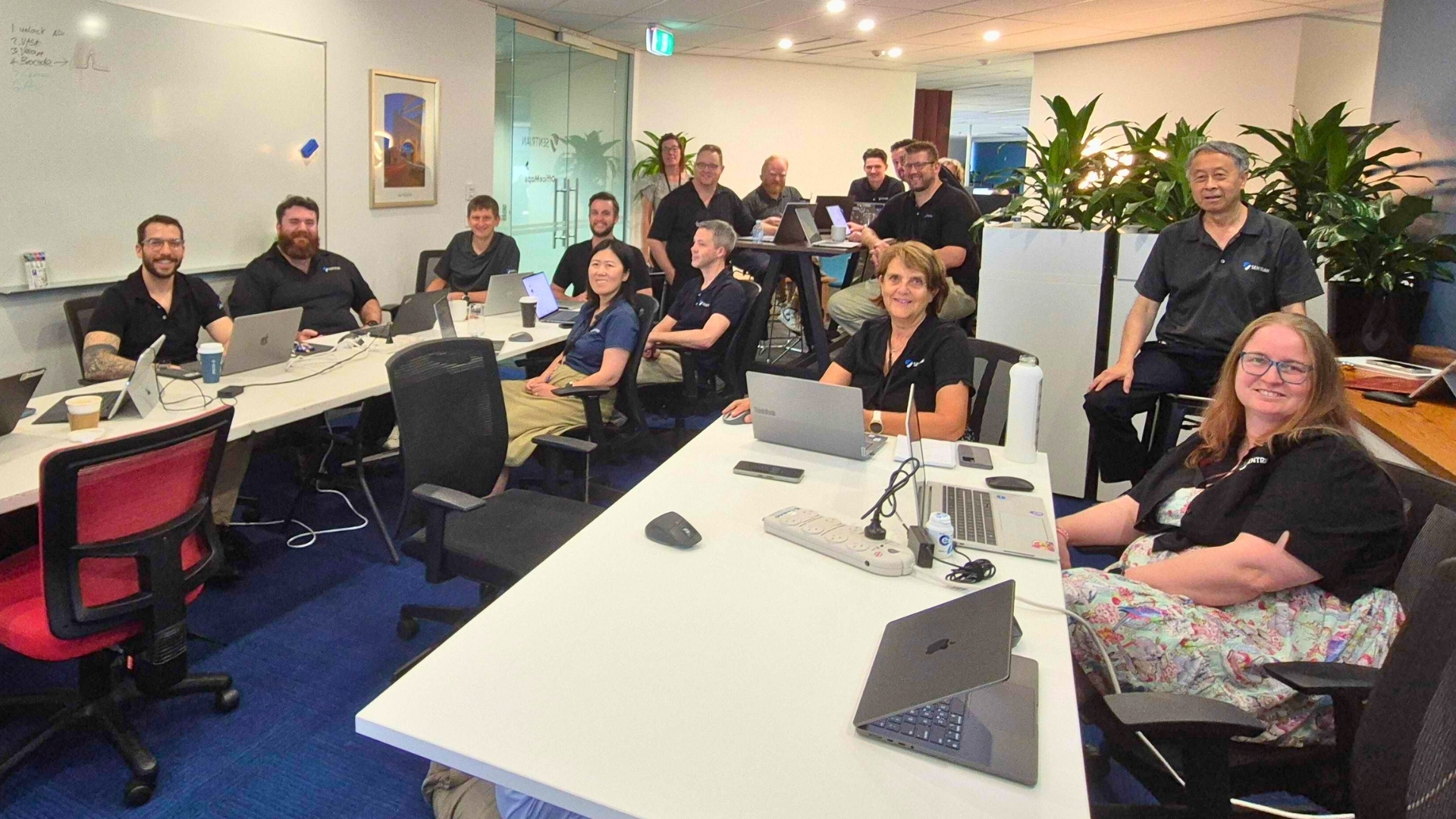
The AI revolution is here – and every team is exploring how to use it. Beyond drafting emails and answering quick questions, AI can streamline processes, automate repetitive tasks, accelerate research, and help your people focus on higher‑value work. It’s also essential to use AI securely, safely, and compliantly.
We’re constantly implementing AI systems and strategies for businesses across Australia. Supporting every stage of AI adoption: alignment, change management, staff adoption and cultural buy-in. Upskilling teams, saving time and money, and delivering large‑scale AI projects that stand the test of time.
Our AI experts have compiled their top five tips to get started with AI.
1. Follow your company’s AI policies and procedures
Before you adopt any new technology, make sure your organisation has clear data governance – and, ideally, a dedicated AI policy. AI is evolving rapidly, so your policies should be living documents that are reviewed and updated regularly.
Most importantly: use AI according to your organisation’s rules – including approved platforms and accounts. For example:
- If your company specifies Microsoft Copilot, don’t draft work content in unapproved tools.
- If your policy requires you to use your official work account, don’t switch to personal accounts for work tasks.
Skipping policy isn’t just a technical risk; it can jeopardise data security, compliance, and your job.
.png)
If your company doesn’t have a formal AI policy yet, Sentrian can help. Our AI Readiness Assessment pinpoints where your team is today and what to do next while bulding alignment with the AI leadership group.
Next, our Copilot Quick Start Program helps firms start implementing AI in practical fashion throughout the organisation.
2. Check your privacy and security settings
Your organisation should publish minimum‑viable security settings for approved AI tools.
Whether it’s a corporate tool or personal use, start with the basics:
- Enable 2FA
- Limit app permissions to only what’s necessary
- Know what data should never be shared with AI systems
- Use strong, unique passwords (and a password manager if allowed)
- Review “training” or “data sharing” toggles and disable them as your AI policy and data governance mandates.
Be careful with the information you input
As a rule of thumb, don’t input confidential, regulated, or personally identifiable information (PII) into AI prompts unless your policy explicitly allows it and the system is configured for safe handling. That can include:
- Contact details
- Financial details
- Intellectual property
- Client or partner information
- Names and roles of employees
- Sensitive company data or strategy
- Passwords or “common security question” answers.
AI platforms offer enterprise‑grade security features, but the safest approach is a careful one: share only what’s necessary, and only in approved systems.
3. Be smart with your prompts
You and your AI can work better together when you have great prompts.
The ingredients for a great prompt include:
- Goal – What do you want the AI to do for you?
- Context – What background or constraints matter?
- Expectations – What output format, tone, insight, or steps do you want?
- Sources – What materials or data should it use (documents, SharePoint library)?
- Examples - provide similar examples of work that you want it to output
Tips and examples
- Be specific
- Too broad: “Review this workbook.”
- Better: “Summarise each quarter’s sales by product and put the results in a one-page Word document with a list of key trends.”
- Ask the AI to refine your prompt
- “Suggest improvements to this prompt to get a clearer, accurate analysis.”
- Define the role and then give specific instructions
- “Act as an experienced Project Coordinator. Review the project summary and team goals. Then I’ll share 3 draft status updates; rank them by clarity and professionalism, suggest 5 improvements to team communication, and create 2 sample email templates for updates. I’ll provide the drafts after you review the summary.”
- Provide context without oversharing sensitive data
- Use approved repositories (e.g., SharePoint) to reference materials where possible.
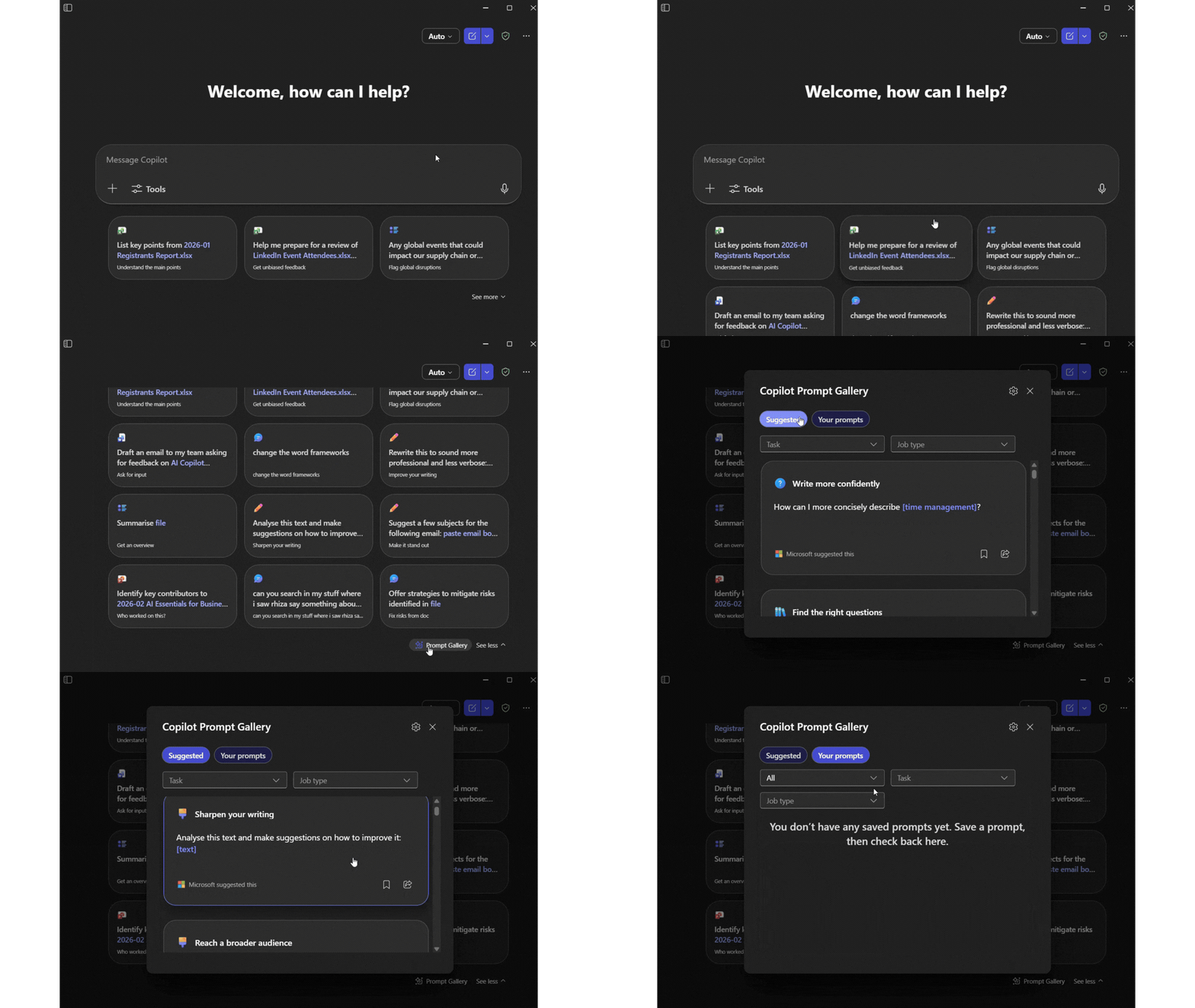
Save good prompts in a personal or shared prompt library. Shared libraries (especially for marketing, comms, and sales) improve consistency of tone, branding, and outputs across the team. Copilot also offers some prompts that are ready to go or that might serve as a bit of inspiration.
4. Use custom instructions and memory
Personalising AI helps it respond in ways that fit your organisation. Depending on your Copilot configuration, you may be able to set custom instructions and enable memory so it remembers preferences (e.g., tone of voice, formatting, preferred sources).
- For marketing teams, include brand voice, style rules, audience nuances, and approved phrases from your style guide.
- For project teams, set expectations for status formats, risk summaries, and stakeholder updates.
In Copilot, look for Settings → Personalisation to add instructions or memory. You can also ask Copilot during a conversation to remember a preference – of course, subject to your organisation’s policy and the feature being enabled.
5. Create custom Copilot agents for repeatable work
A Copilot agent is an AI assistant tailored to a specific workflow, project, or team. Agents can integrate with tools and data (e.g., SharePoint libraries) and automate multi‑step tasks.
You can use ready-made templates (e.g., research or analysis) or create your own agent: start by describing the task, relevant data sources, guardrails, and expected outputs.
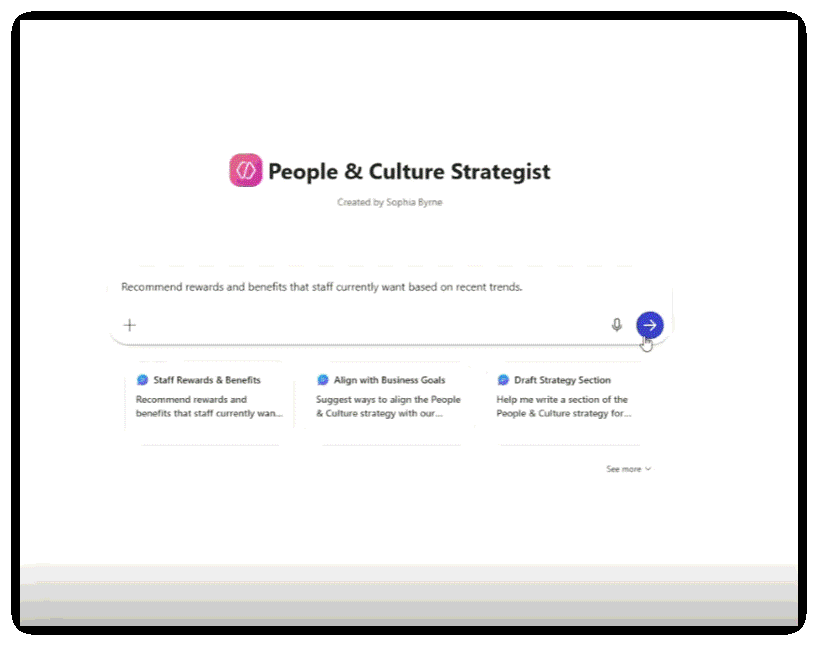
Example: We built an HR agent for our Head of HR, Sophia. It integrates with a SharePoint library of HR documents, syncs with staff surveys and feedback, monitors legislation updates, and acts as a HR expert. Sophia uses it to:
- Recommend next‑quarter employee benefits based on feedback and current rights
- Summarise relevant legislation changes
- Benchmark what other companies are doing.
We’re here to support you with IT that just works and AI that delivers.
If you’re ready to bring Copilot and AI into everyday workflows:
- AI Readiness Assessment: Understand your current state and get a practical roadmap.
- Copilot Quick Start Program: A multi‑week program to upskill your team, build confidence, and accelerate ROI.
Our expert AI engineers are hosting a live virtual session this February to share even more in‑depth, ready‑to‑use Copilot tips and tricks. Bring your questions and challenges for an interactive Ask Me Anything (AMA) segment.
Reserve your spot now (it’s free!) or join our mailing list for alerts to upcoming events and exclusive content.